| ⬅️ 이전 | 🏠 분류 목차 |
가상머신을 목록에서 제거하고 다시 불러오기
가상머신을 목록에서 제거하고 다시 불러오기
VMware Player 실행
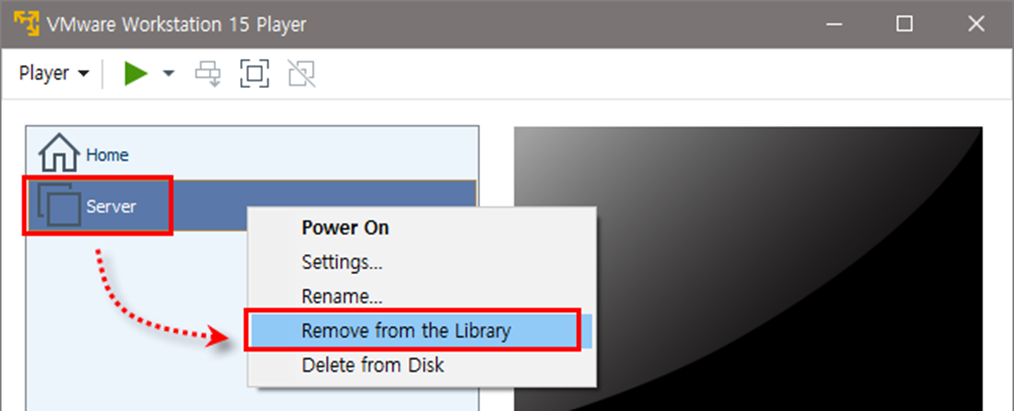
Server를 선택한 후 마우스 오른쪽 버튼을 클릭하여 Remove from the Library 선택
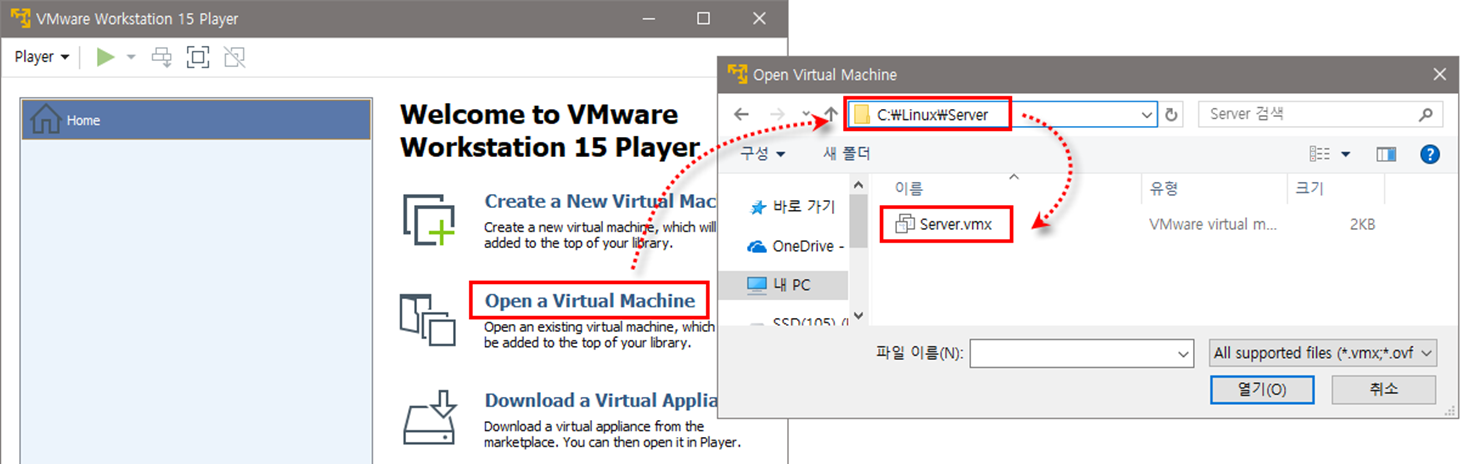
가상머신을 목록에 다시 추가하려면 오른쪽 창의 [Open a Virtual Machine] 클릭,
C:\Linux\Server\Server.vmx를 열거나 메뉴에서 [Player]-[File]-[Open] 선택
서브목차